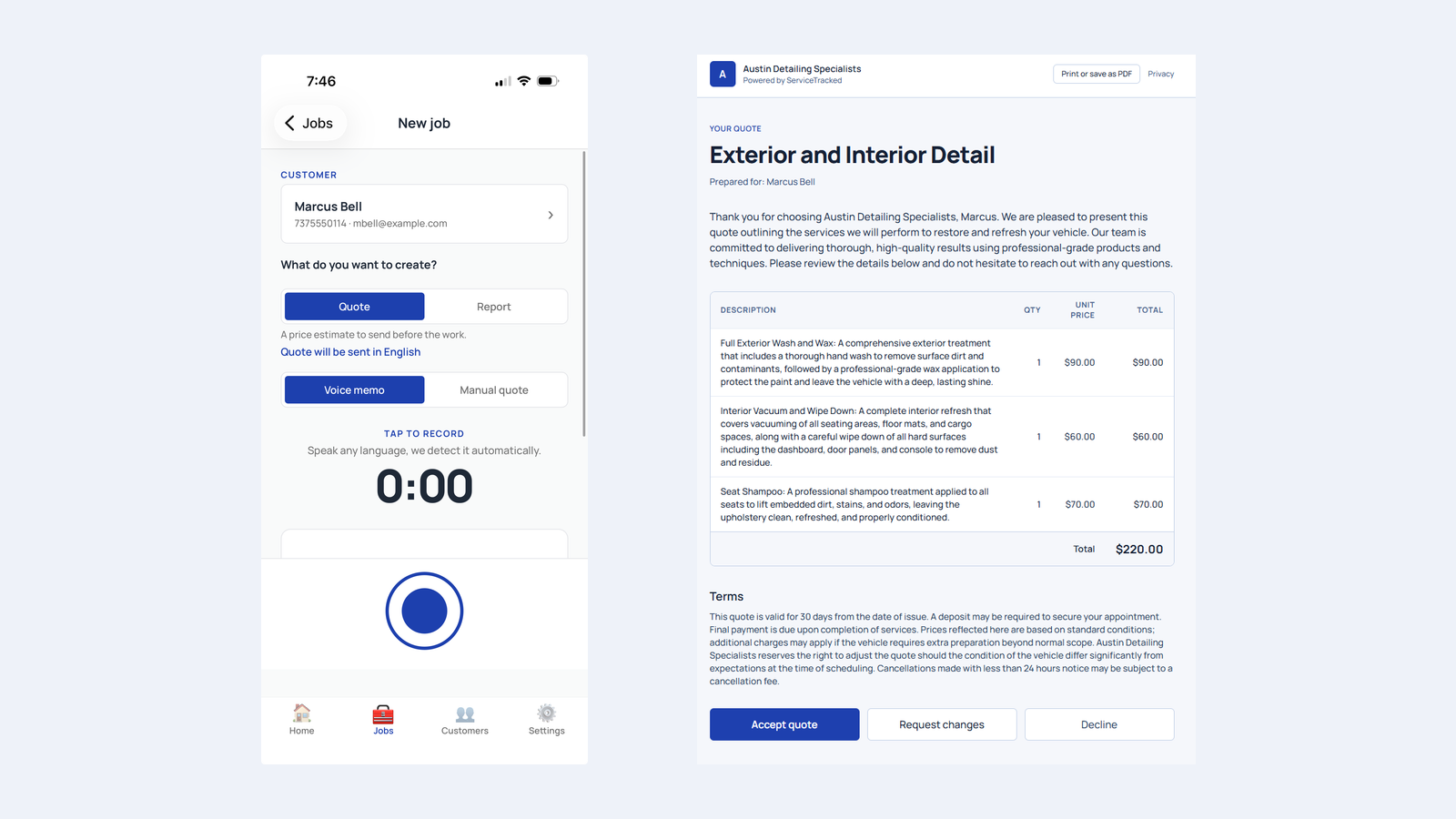
Quick Summary: ServiceTracked turns a short voice note into a professional quote or report you can send to your customer in their language, usually in under a minute. You speak the job, review the line items, and send by email or SMS. This guide walks through creating your first quote, sending a report, and using the language features, step by step.
You do not need to type, build spreadsheets, or learn complicated software. If you can describe a job out loud, you can send a professional quote. This guide shows you exactly how, from your first recording to a quote your customer can accept on the spot, plus how ServiceTracked delivers it in your customer's language.
Before You Start: What You Need
ServiceTracked runs on the iPhone and Android apps, that is where you create quotes and reports. All you need is:
- The ServiceTracked app installed
- A free account (Free Forever gives you 10 quotes and reports a month, no card required)
- A job to quote

 Scan to install: App Store
 Scan to install: Google Play
That is it. No setup, no templates to build first.
Step 1: Add a Customer
Open the app and tap New job, then choose the customer, or add a new one with their name, email, and phone. This is who the finished quote gets sent to.
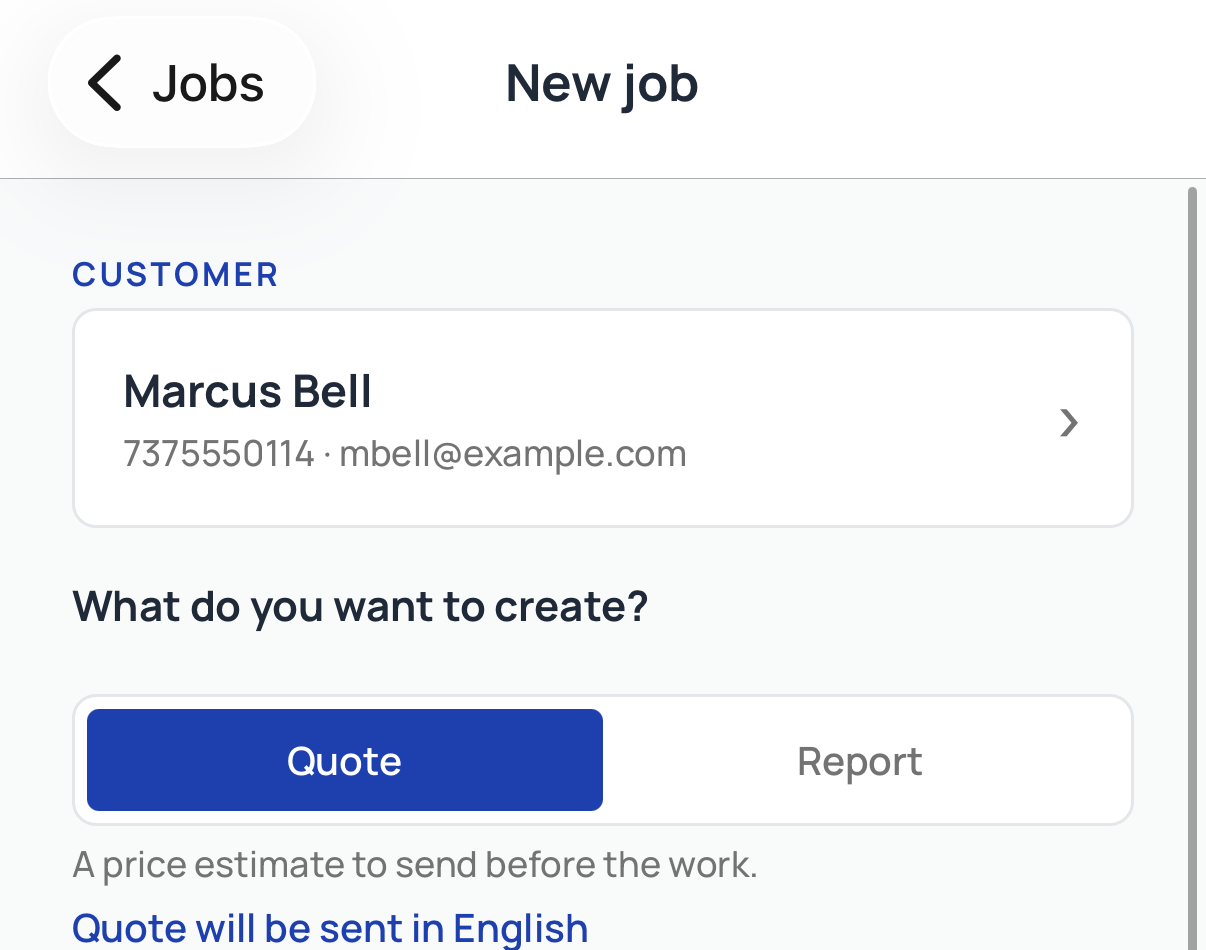
You only enter a customer once. Next time, they are already saved.
Try it on your next job
Deliver a polished quote in under 60 seconds. Free Forever covers 10 quotes per month, no card.
Start free, no card requiredStep 2: Speak the Job
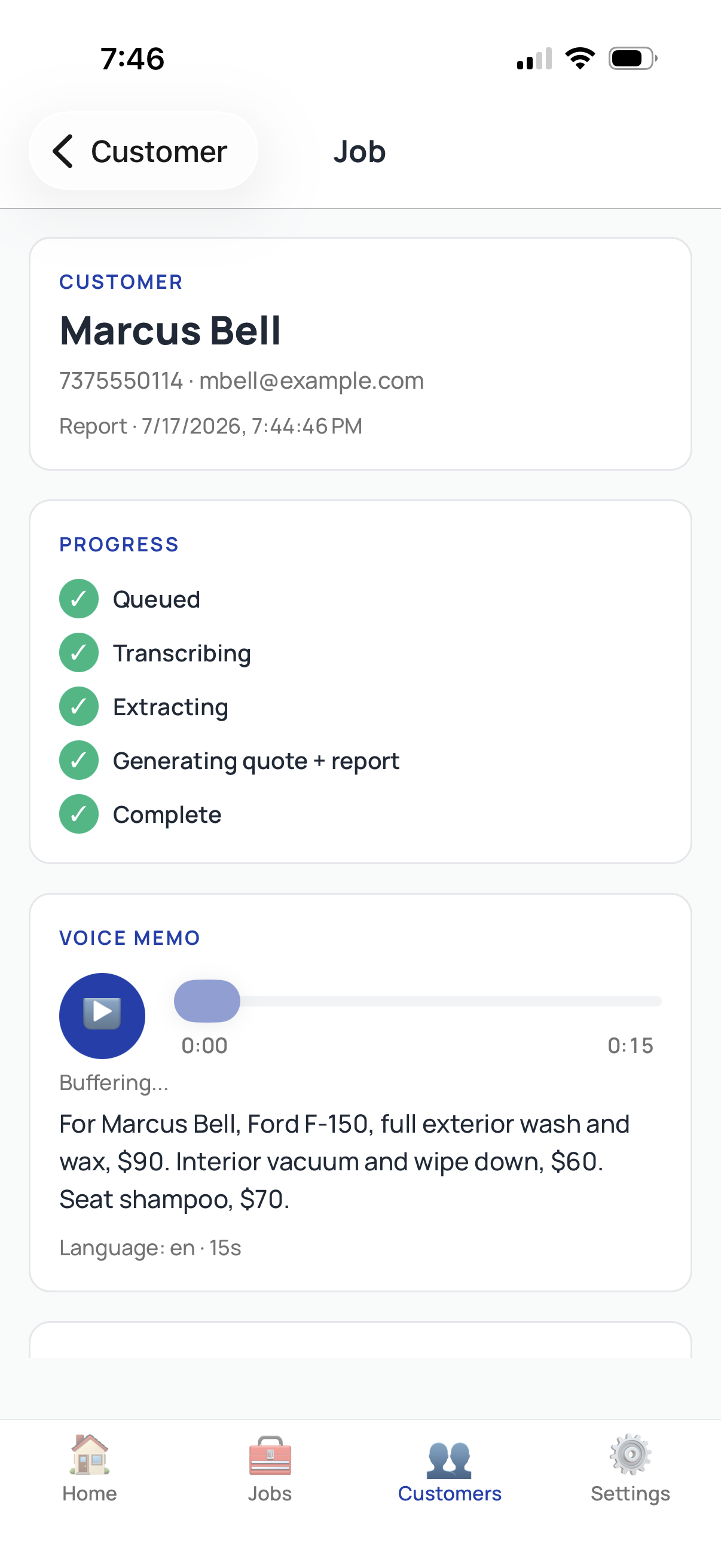
Tap record, and just say the job out loud, the work and the price for each part. For example:
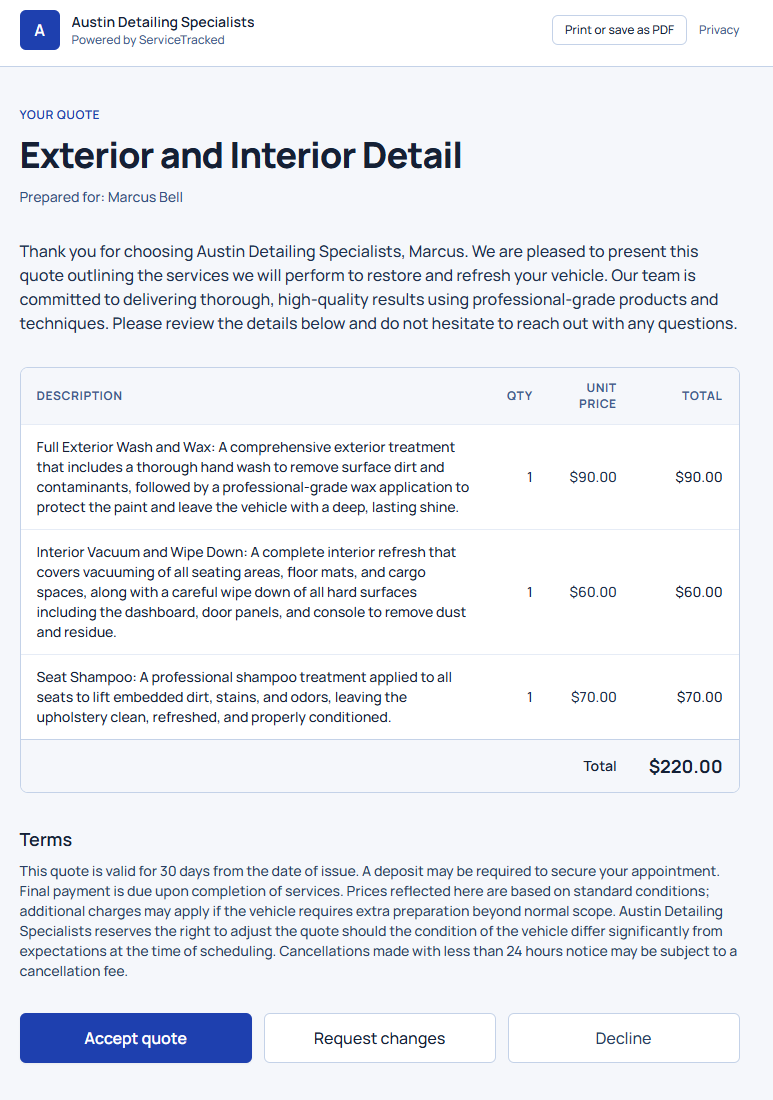
"Full exterior wash and wax, ninety dollars. Interior vacuum and wipe down, sixty. Seat shampoo, seventy."
Speak naturally. You can pause, and you can speak any language, ServiceTracked detects it automatically.
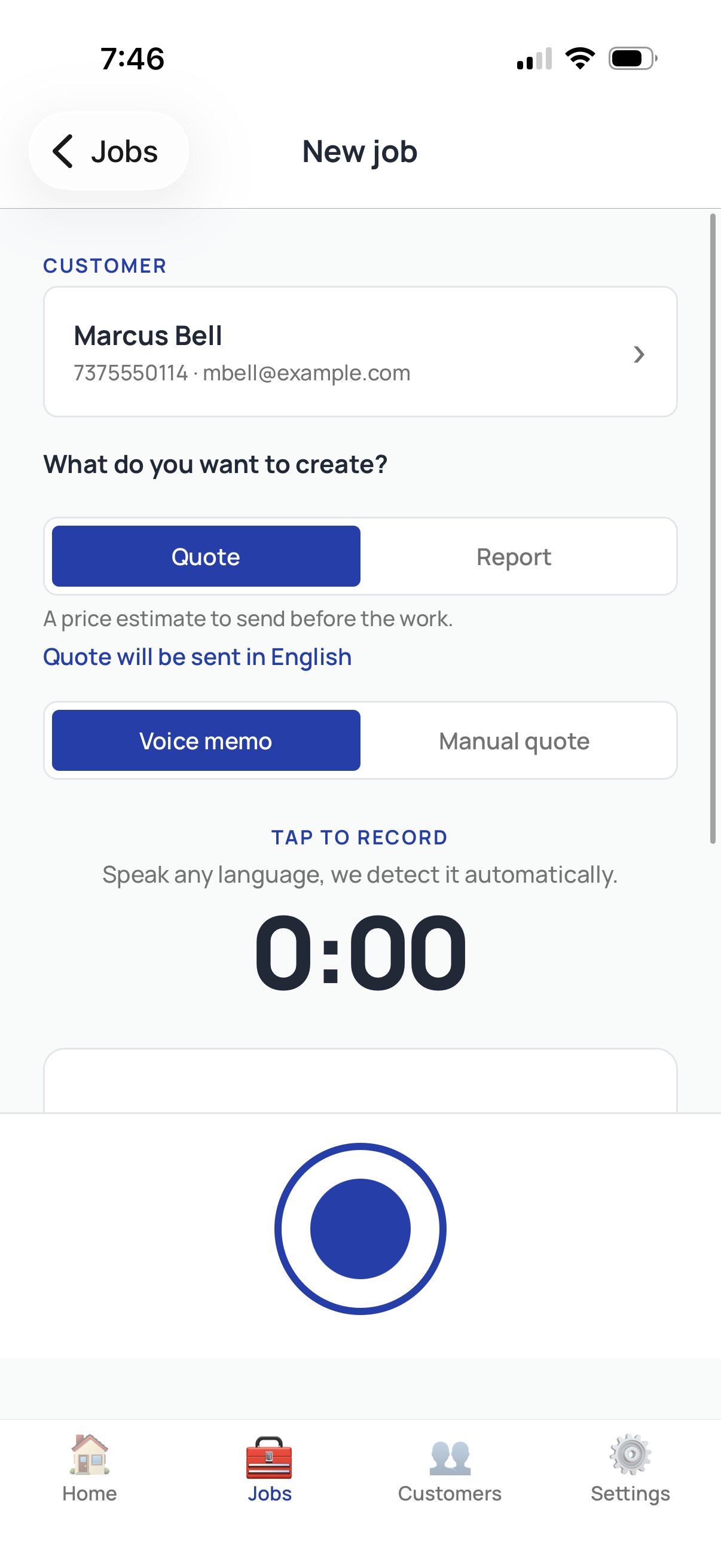
You are not pricing out loud for the app to guess. You say each item and its price, and ServiceTracked adds them into the total.
Step 3: Review and Edit the Quote
In a few seconds, ServiceTracked turns your voice note into a clean, itemized quote, each service as a line item, with the total summed at the bottom. Before anything is sent, you see it and can adjust.
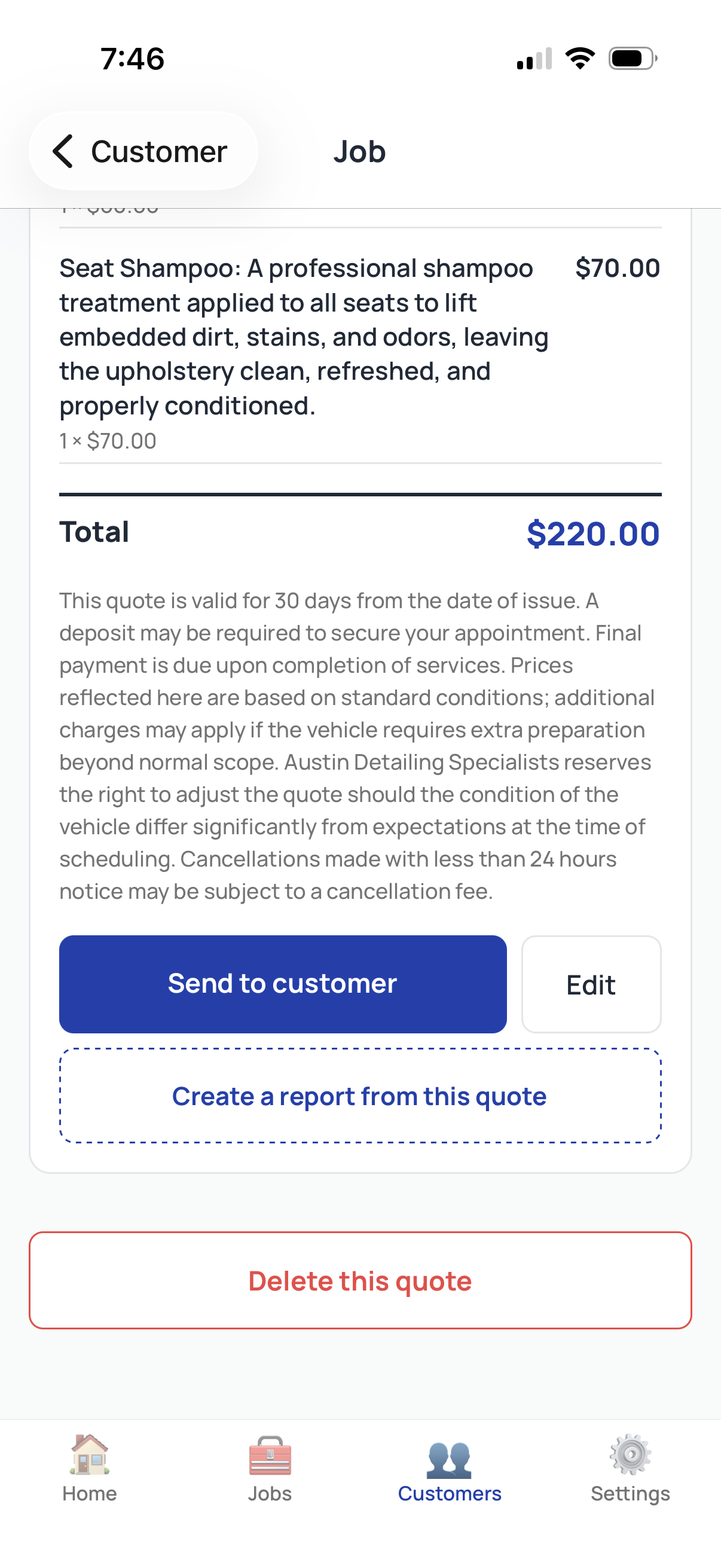
Check the wording, fix a price, add or remove a line. Nothing goes to the customer until you approve it.
Try it on your next job
Deliver a polished quote in under 60 seconds. Free Forever covers 10 quotes per month, no card.
Start free, no card requiredStep 4: Send It to Your Customer
Tap Send, and choose how: email, SMS, or both. Your customer receives a professional quote they can open, review, and accept, request changes, or decline, right from the link.
The whole flow, from tapping record to a sent quote, takes about a minute.
Sending a Report Instead of a Quote
A report works the same way, but it is the record of work done, and it doubles as the receipt. On the New job screen, choose Report instead of Quote, speak the work performed, and send. Reports carry the same itemized detail and a service date, so your customer has a clear record and you have proof of the job.
Try it on your next job
Deliver a polished quote in under 60 seconds. Free Forever covers 10 quotes per month, no card.
Start free, no card requiredSpeaking One Language, Delivering in Another
This is what makes ServiceTracked different: you work in your language, and your customer receives the quote in theirs.
Say you speak Spanish and your customer speaks English, record the job in Spanish, and ServiceTracked delivers a polished quote in English. It works the other way too, and across many languages.
For anyone serving customers across languages, this turns a barrier into an advantage.
Frequently Asked Questions
Do I have to speak, or can I type the quote?
You can do either. Voice is the fast path, but every quote and report can also be created and edited by hand if you prefer.
Is it really free to start?
Yes. Free Forever gives you 10 quotes and reports a month with no card required. Paid plans start at $29/month when you need more.
Can my customer accept the quote right away?
Yes. The quote they receive has Accept, Request changes, and Decline built in, so they can respond immediately.
What kinds of businesses is this for?
Any service business, cleaning, landscaping, detailing, handyman work, HVAC, and more. If you quote jobs and send them to customers, it fits.
Try it on your next job
Deliver a polished quote in under 60 seconds. Free Forever covers 10 quotes per month, no card.
Start free, no card requiredGet Started
You can send your first quote today, for free. Get the app, add a customer, and speak your first job.
Scan to install: App StoreScan to install: Google PlayTry it on your next job
Deliver a polished quote in under 60 seconds. Free Forever covers 10 quotes per month, no card.

