You
Walking back to the van
“For Marcus Bell, Ford F-150, full exterior wash and wax, $90. Interior vacuum and wipe down, $60. Seat shampoo, $70.”
How it works
One transformation, four moments. We use Marcus Bell's Ford F-150 as the example throughout, but the same flow works for every service industry.
Tuesday morning. You just looked over a Ford F-150 in the customer's driveway. You are walking back to the van and pull out your phone.
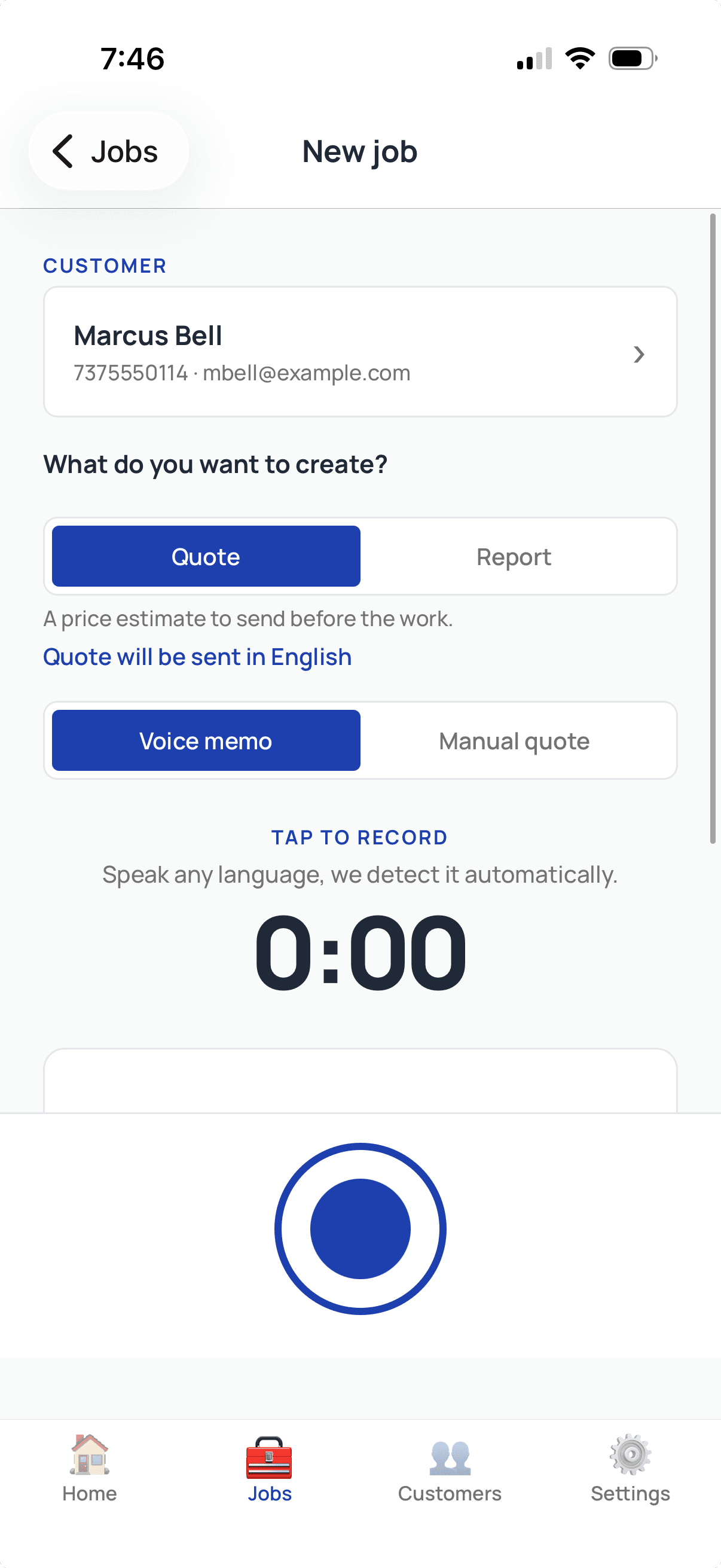
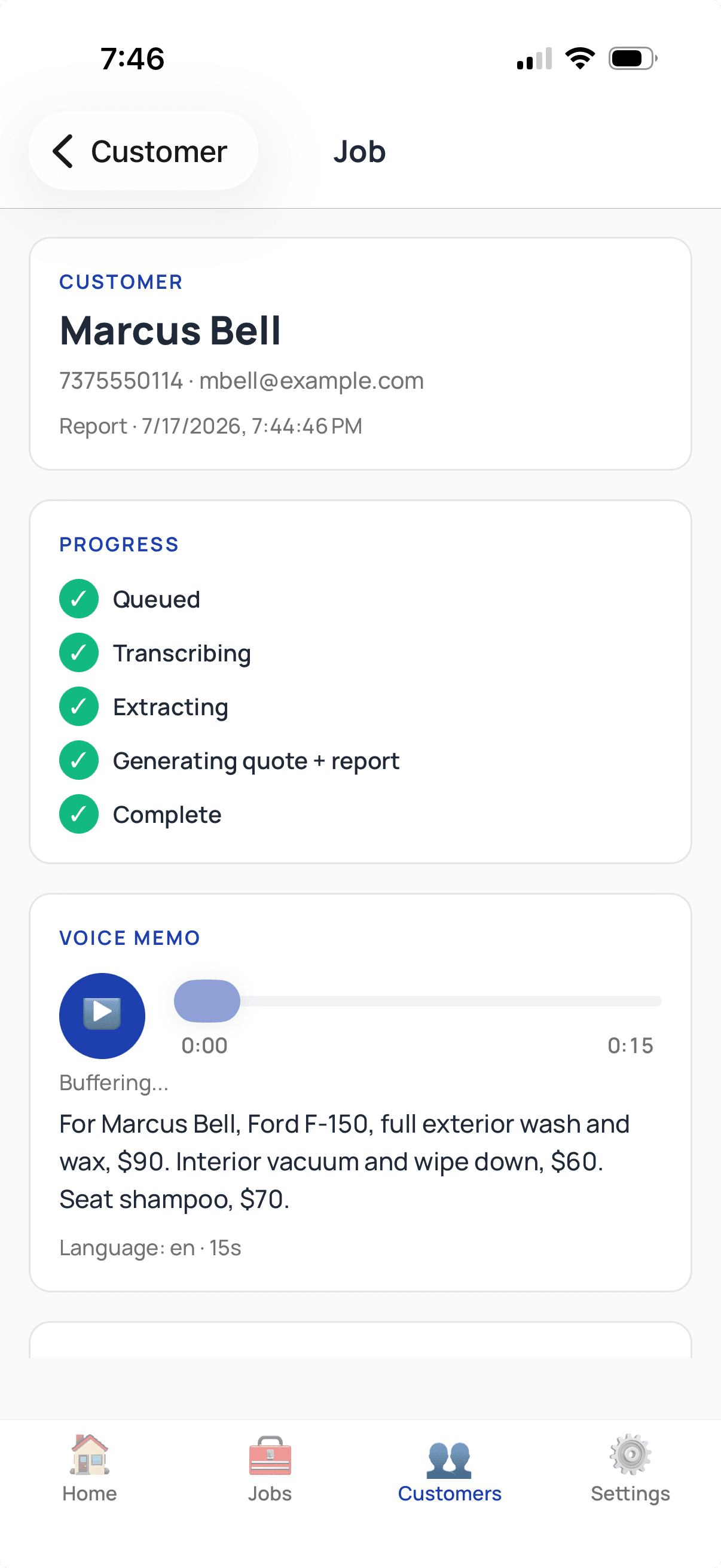
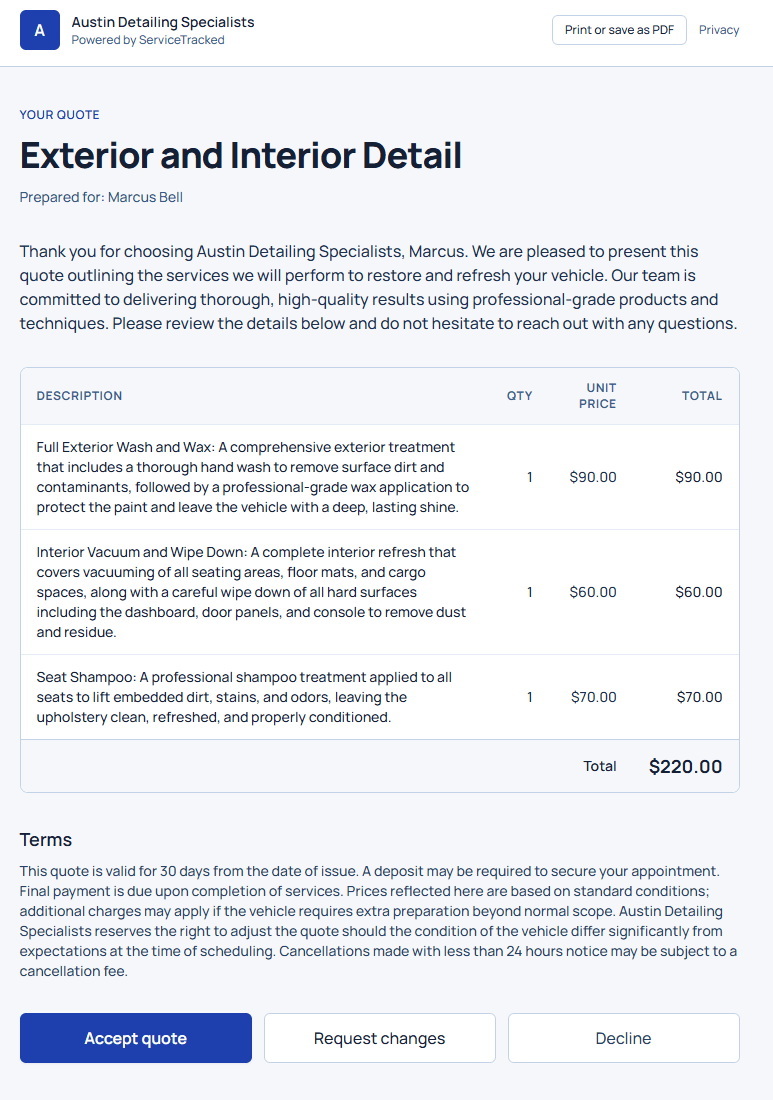
One real job, start to finish: Marcus Bell's 15-second voice memo (full exterior wash and wax $90, interior vacuum and wipe down $60, seat shampoo $70) becomes a delivered quote totaling exactly $220.00.
Open ServiceTracked, tap record, and talk. Mention what you looked at, what you saw, and what you will charge. No script. No special vocabulary. The same way you would explain the job to a coworker in the truck.
You
Walking back to the van
“For Marcus Bell, Ford F-150, full exterior wash and wax, $90. Interior vacuum and wipe down, $60. Seat shampoo, $70.”
Within seconds, ServiceTracked turns the voice memo into a properly formatted quote. You said three line items, $90, $60, and $70; the quote lists all three and adds them to $220. ServiceTracked never prices the job for you. The customer sees it in their preferred language; here is the same quote in English and Spanish.
Sent to Marcus by email or SMS, whichever he prefers. He reviews and accepts; you confirm the booking by your usual method (phone, email, calendar).
Austin Detailing Specialists
Marcus Bell
Ford F-150
Quote #1152
Quote date
Fri, Jul 17, 2026
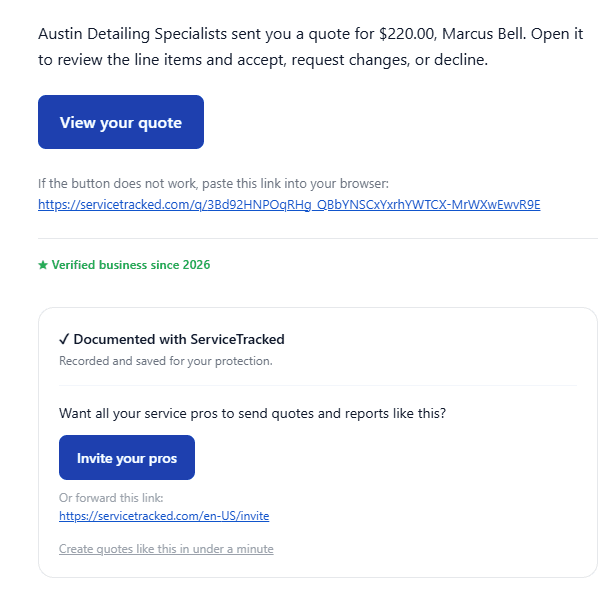
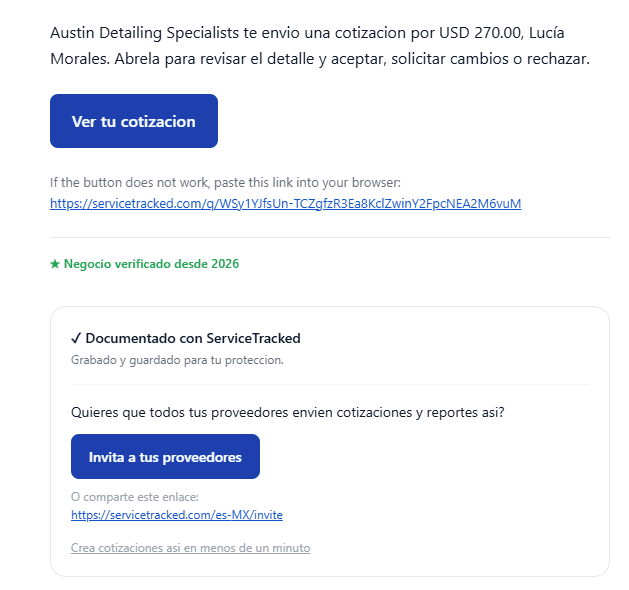
The delivery email, in whichever language the customer prefers: Marcus Bell's $220.00 quote arrives by email or SMS with a secure magic link, here in English and in Spanish.
The report and the photos all land on Marcus Bell's customer record. Next time you visit, the history is right there: what you did, what he paid, what he preferred.
Automatic save to Marcus Bell's customer record
Marcus Bell
Customer #1152
Exterior and Interior Detail
Quoted Jul 17, service Jul 21


Service history
Your prices, your total
ServiceTracked never prices a job for you and never adjusts your numbers. You say each line item and what it costs; the app formats them into a professional quote or report and adds them up, so the total is always the exact sum of the items you said.
Your numbers are not suggestions.
Language flexibility
We keep your records in whatever you prefer. Four real-world combinations the launch product supports today.
Input language does not have to match output language.
| You speak in | You send to customer in | Example |
|---|---|---|
| English | Spanish | Cleaning crew records in English; customer who prefers Spanish receives the quote in Spanish. |
| Spanish | English | Spanish-first contractor records in Spanish; English-speaking homeowner receives the quote in English. |
| Vietnamese | English | Vietnamese-speaking nail-salon operator records in Vietnamese; English-speaking customer receives the receipt in English. |
| Arabic | Swedish | Arabic-first contractor working in Stockholm records in Arabic; Swedish-speaking customer receives the quote in Swedish. |
Universal language support from Day 1. Speak in any language; send to your customer in any of 50+ languages. Spanish-to-English is our most-used pattern.
Start free with Free Forever, no card. Upgrade when you grow, cancel anytime.