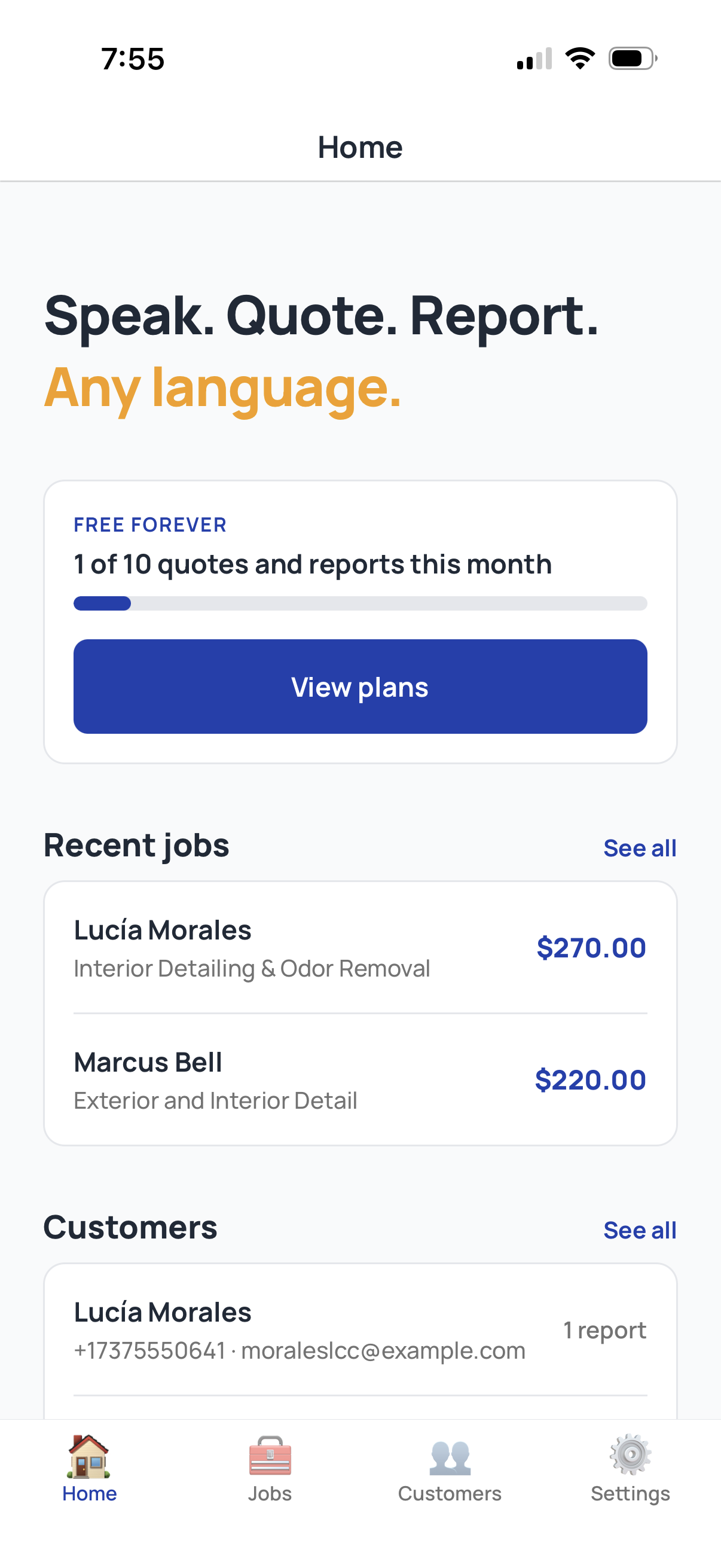
Almost every service business software in 2026 falls into one of two design philosophies. Form-based tools (Jobber, Housecall Pro, ServiceTitan, FieldEdge, and most of their competitors) put the work into structured forms: pick a customer, pick services, pick line items, save, send. Voice-first tools (ServiceTracked is the most prominent in 2026) start with a voice memo and let the structure emerge from what you said.
Both approaches work. They work for different businesses and different team structures. This guide walks through when each one wins, what hybrid approaches look like, and how to decide which model fits your business.
| Form-based tools | ServiceTracked | |
|---|---|---|
| Time to send | Up to 10 minutes at the desk | Seconds, on the job |
| Where you work | Back at a desk, keyboard | In the field, by voice |
| Customer's language | You translate | Sent in their language |
How form-based tools work
Form-based tools have been the standard model for service business software for fifteen years. The workflow:
- Open the app on a phone or tablet.
- Tap "New quote" or "New job."
- Pick the customer from a dropdown or create a new one.
- Pick the service from a list (or pick "Custom").
- Add line items, one at a time, each with description, quantity, price.
- Add notes, attach photos, set the schedule.
- Save and send.
The entire flow is structured. The system guides you through the fields. The output is consistent because the form enforces the structure.
The strengths of form-based tools are well-understood:
- Predictable output. Every quote looks the same because every quote came from the same form.
- Easy to onboard new employees. "Tap here, then tap here, then tap here."
- Strong reporting. Because every quote and job is fully structured, you can run reports across them (top services, most profitable jobs, customer lifetime value).
- Mature ecosystems. Integrations with QuickBooks, Stripe, payroll, and dispatch are well-tested.
The weaknesses are also well-understood:
- Slow. A quote that should take seconds on-site turns into up to 10 minutes of form-filling back at the desk because you have to work the fields one at a time.
- Friction during real work. A technician standing in a customer's driveway does not want to tap through fourteen form fields. They want to send a quote and get back to work.
- Brittle in edge cases. A job that does not fit the standard service categories requires custom line items, which slow the flow further.
You
Walking back to the van
“Black F-150, full interior shampoo and paint correction on the hood. Four eighty-five, can do it Saturday.”
How voice-first tools work
Voice-first tools invert the model. Instead of starting with a form, you start with a voice memo:
- Open the app on a phone.
- Hit record.
- Talk through the job: customer name, scope, line items, total, availability.
- Tap send.
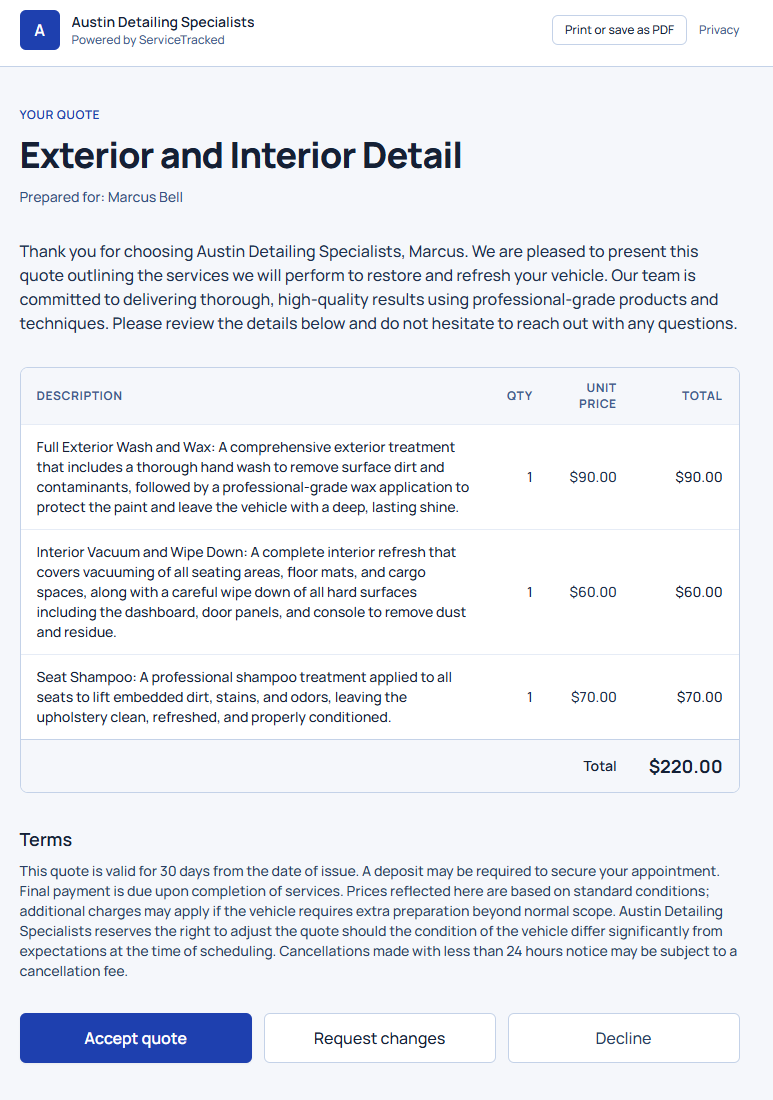
The structure (customer record, line items, total) emerges from what you said. The output looks just as polished as a form-based quote, but the time to produce it is seconds on-site instead of up to 10 minutes back at the desk.
The strengths:
- Speed. A 30-second voice memo replaces a 5-minute form fill.
- Matches the way technicians actually think. A detailer standing next to a car does not think in form fields; they think in observations and recommendations.
- No keyboard friction. Typing on a phone in the field is painful. Speaking is fast.
- Works offline. Voice memos record without a network connection; processing happens when you reconnect.
The weaknesses:
- Quality depends on what you say. A voice memo that omits the customer name or the total produces a quote with placeholder values.
- Newer ecosystem. Voice-first tools in 2026 have fewer mature integrations than the established form-based tools, though the gap is closing fast.
Try it on your next job
Deliver a polished quote in under 60 seconds. Free Forever covers 10 quotes per month, no card.
Start free, no card requiredThe deciding question
The choice between voice-first and form-based comes down to a single question: how much of your work happens in the field, on a phone, with hands that have just been doing physical work?
If the answer is "most of it," voice-first wins. A detailer, an HVAC tech, a cleaner, a roofer, a landscaper, a plumber, an electrician, a pest control tech, a pressure washer, a pool service tech, an arborist (every trade where the work happens in someone else's space) benefits massively from a voice-first workflow. The cost of typing on a phone in those contexts is high. The gain from speaking is large.
If the answer is "most of the work happens at a desk in an office," form-based wins. A business that does office-based estimating, with a dispatcher in front of a computer all day, can move faster with a structured form because they are typing on a real keyboard.
Most service businesses fall heavily on the field-work side. A solo operator who runs every job personally, a small team where the owner is still hands-on, or a multi-tech operation where the technicians do their own quoting all benefit more from voice-first.
When forms make sense
Even within a voice-first business, there are scenarios where a form-based workflow is the right tool:
Standardized recurring jobs
If you do the same service for the same customer every two weeks (recurring lawn care, recurring cleaning, monthly pest control), there is no reason to record a voice memo for each visit. A template that pre-fills the standard scope and lets you tap "send" is the right tool. Forms shine when the work is repeating.
Office-based estimating
If your estimating is done by a dispatcher in an office, with a real keyboard, form-based works fine. The voice advantage disappears when the user is sitting at a desk.
Customer-facing portals
The customer-facing portal where customers accept quotes, view reports, and rebook is form-based. The customer is at home, often at a computer or on a desktop. They are not in the field. The right interface for them is structured.
Try it on your next job
Deliver a polished quote in under 60 seconds. Free Forever covers 10 quotes per month, no card.
Start free, no card requiredWhen voice wins
The voice workflow wins decisively in three categories:
First-touch quotes
The first time a customer reaches out, the speed of the response decides whether you get the job. A voice-first workflow that sends a real quote in under sixty seconds beats a form-based workflow that takes several minutes. For many businesses this is where voice-first pays for itself.
Post-visit reports
A report written at the end of a job, while you are still on the customer's property or sitting in the truck, is the highest-friction moment in a service business. A voice memo turns it into thirty seconds. A form turns it into fifteen minutes. Multiply by ten visits per week and the choice is obvious.
Multilingual workflows
A technician whose first language is Spanish, Vietnamese, or any non-English language can produce a quote in their best language and have the customer receive it in English. Form-based tools require the technician to type in English; voice-first tools let the technician speak in their best language and translate at the output layer. The gain in workforce productivity is substantial.
Hybrid approaches
The cleanest reading of the 2026 software landscape is that most service businesses end up with a hybrid: voice-first for new quotes and field reports, form-based for recurring scheduled work and office estimating. A team can adopt voice-first for the high-friction moments (the parts that happen in the field) and keep form-based tools for the structured parts (the parts that happen at a desk).
ServiceTracked is built to support this hybrid pattern. The voice workflow is the primary interface for technicians in the field. Customer records, scheduled jobs, and recurring services are structured and pre-fillable. The two models coexist rather than competing.
Try it on your next job
Deliver a polished quote in under 60 seconds. Free Forever covers 10 quotes per month, no card.
Start free, no card requiredWhat to expect
Comparing the two workflows on the dimensions that matter to a service business:
- Time per quote: seconds on-site vs up to 10 minutes back at the desk.
- Acceptance rate: voice-first quotes tend to arrive faster, often before the customer has stopped looking at their phone.
- Output quality: comparable. A well-recorded voice memo produces a quote indistinguishable from a well-filled form. A badly recorded memo produces a worse quote than a partially-filled form.
- Employee adoption: technicians often prefer voice-first. Dispatchers and office staff often prefer form-based for their use cases.
A practical decision framework
If you are evaluating tools in 2026, here is the decision framework:
- Where does the quoting actually happen? If it is in the field, voice-first. If it is at a desk, form-based.
- Who does the quoting? If it is the same people doing the work, voice-first. If it is a dispatcher, form-based may fit.
- How fast does your market expect quotes? If your competitors are responding within the hour, voice-first is non-negotiable. If quote turnaround is days, form-based works.
- How multilingual is your team? If your technicians speak languages other than the customer's, voice-first removes a significant friction.
A solo operator running their own jobs almost always wants voice-first. A larger team often wants a hybrid. A purely office-based estimating shop can stay form-based.
Try it on your next job
Deliver a polished quote in under 60 seconds. Free Forever covers 10 quotes per month, no card.
Start free, no card requiredTry it on a real quote
The best way to evaluate the two workflows is to try them both on the same job. Take the next customer request that comes in. Send the quote two ways: once with whatever tool you use now, and once with a voice-first workflow. Compare the elapsed time, the polish of the output, and the customer's response.
ServiceTracked is free for 10 quotes and reports combined a month on the Free Forever tier. No card required. The first quote will tell you whether the workflow fits your business. If it does, the decision is straightforward. If it does not, you have not lost anything.
Try it on your next job
Deliver a polished quote in under 60 seconds. Free Forever covers 10 quotes per month, no card.