The difference between an HVAC business that gets called back next year and one that gets forgotten is rarely the quality of the work. It is the quality of the documentation. A homeowner who receives a clear, photo-rich service report after a tune-up remembers your name when their friend asks for a recommendation. A homeowner who gets a paper receipt with a scribbled total does not.
This guide gives you a complete HVAC service report template, walks through what to include in each section, and shows you how to dictate the report from your truck in under sixty seconds so the customer has it before you leave the driveway.
Dana Whitfield
Residential, 3-ton system
AC system tune-up
May 20, 2026
- Refrigerant
- Topped off, within range
- Capacitor
- Replaced (was failing)
- Filter
- Replaced


Service history
- Spring tune-up
- Filter swap
Why HVAC reports are different
HVAC service reports are higher-stakes than most service trade reports for three reasons. First, the equipment is hidden; the customer cannot see what you did or what condition the system is in without your documentation. Second, the parts are expensive; a $1,200 capacitor recommendation that arrives by text with no context reads like a shakedown, while the same recommendation in a photo-rich report reads like expertise. Third, the work is recurring; the customer will hire you again every spring and fall for the next decade if your reports build trust, or never again if they do not.
A good HVAC report does three jobs at once. It documents the work you did. It explains the condition you found. It earns the next callback.
The complete HVAC service report template
A complete HVAC service report has eight sections. Some apply only to maintenance visits, some only to repairs, and some only to installs. Use what fits the visit.
1. Customer and equipment identification
Every report starts with the basics so the customer can pull it up six months later and know exactly what was done:
- Customer name and service address
- Date and time of visit
- Technician name
- Equipment make, model, and serial number (for each system serviced)
- Equipment age, if known
- Refrigerant type (R-410A, R-32, R-454B, etc.)
The equipment serial number is the single most useful piece of information you can capture. Six months later when the customer calls about a warranty issue, the serial pulled from your report saves an hour of unscrewing access panels.
2. Reason for visit
One short paragraph explaining why you were there:
- Scheduled maintenance (spring or fall tune-up)
- Customer-reported issue (no cooling, no heat, strange noise, water leak)
- Follow-up on prior diagnostic
- Install or replacement
The customer-reported language matters. If the customer said "the unit is making a banging noise," put those exact words in the report. The match between what the customer said and what you investigated builds confidence.
3. Measurements taken
This is the section most HVAC pros under-document. Customers do not understand HVAC measurements, but they trust that you measured. A report that lists actual numbers reads as more thorough than a report that says "checked operation":
- Supply and return air temperatures (and the delta)
- Refrigerant pressures (suction and head, with ambient temperature noted)
- Subcooling and superheat
- Static pressure (where applicable)
- Amperage draw on the compressor and condenser fan motor
- Voltage at the disconnect
You do not need to explain every measurement. List them. The customer who cares will look them up, and the customer who does not care will still feel that they got a real service visit.
4. Findings
The findings section is prose. One short paragraph per system or issue:
Condenser coil was heavily restricted with cottonwood seed and pet hair. Cleaned with low-pressure water and coil cleaner. After cleaning, suction pressure dropped from 92 psi to 78 psi (ambient 88F) and delta T at the supply register improved from 14F to 19F. System is operating within manufacturer spec.
A finding statement does three things: it tells the customer what condition you found, what you did about it, and how you verified the fix. Three sentences is usually enough.
Photos attach from your phone

Captured on arrival

Work completed
5. Photos
Every HVAC report in 2026 should have at least four photos:
- Before: the condition you found (dirty coil, leaking line set, corroded contactor)
- After: the same view post-service
- Equipment nameplate: make, model, serial captured visually
- Any concerning condition that warrants future attention
Photos are the single highest-leverage thing in a service report. A customer who reads the prose may skip half of it; a customer who scrolls through the photos remembers the visit weeks later.
6. Recommendations
The recommendations section is where HVAC reports earn future revenue. Three categories:
- Immediate (fix now to avoid system failure or safety issue)
- Soon (fix within 6 to 12 months to extend equipment life)
- Watch (no action needed today, but worth noting for next visit)
Be specific. "Capacitor is reading 28 microfarads, rated 35 microfarads, within tolerance but degraded. Recommend replacement at next tune-up." That sentence is worth $250 of capacitor work at the next visit. "Capacitor is weak" is worth nothing.
7. Parts used and labour
A line-item breakdown for any work beyond a flat-rate tune-up:
- Part description, quantity, unit price
- Labour hours and rate
- Diagnostic fee (if any)
- Subtotal, tax, total
If the visit was a flat-rate maintenance tune-up, list it as a single line. If it was a repair, itemize. Customers do not push back on itemized bills; they push back on bills that read like a black box.
8. Next steps
Close the report with what happens next:
- Next recommended service date
- Outstanding recommendations to schedule
- Warranty status on any installed parts
- How to reach you for follow-up questions
A report that ends with "schedule your fall tune-up by October 15 for the early-bird discount" is a report that books the next job.
Try it on your next job
Deliver a polished quote in under 60 seconds. Free Forever covers 10 quotes per month, no card.
Start free, no card requiredWhat the customer actually reads
Most HVAC customers do not read every word of a service report. They scan. The parts they reliably read are: the photos, the recommendations section, the total, and the next-steps section. The parts they skim are the measurements and findings.
This means the report needs to be designed for scanners. Use short paragraphs. Use bold headers. Put the recommendations and next steps near the top of the second screen, not buried at the bottom.
How a voice workflow writes the report for you
Most HVAC techs in 2026 still write service reports two ways: a handwritten carbon-copy form filled out in the truck, or a clunky FSM app with twenty form fields per page. Both methods take fifteen to thirty minutes per visit and produce reports that customers do not read.
The faster path is to talk through the visit:
Smith residence, 1240 Oakhurst. Spring tune-up on the upstairs system, three-ton Carrier heat pump, model 25HCB6, serial number ending in 7842. Equipment is ten years old. Cleaned the condenser coil, replaced the air filter, tested the contactor and capacitor. Suction pressure 78 psi, head pressure 245 psi at 88 ambient. Delta T improved from 14 to 19 after cleaning the coil. Capacitor is at 28 microfarads, rated 35; within tolerance but recommend replacement at fall tune-up. System is operating within spec. Photos in the truck. Total for the tune-up is $189. Schedule fall service by October 15 for the early-bird discount.
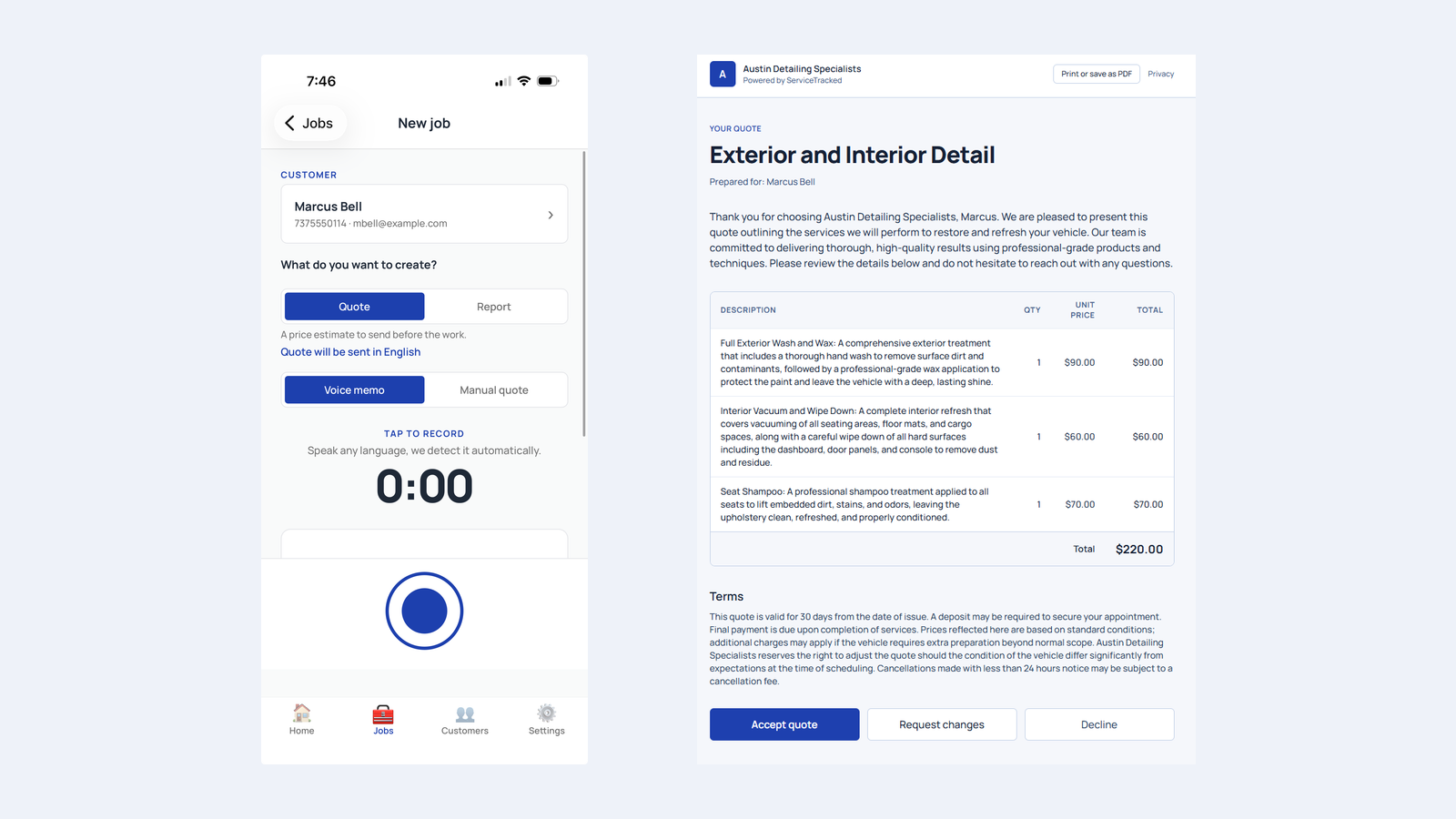
That voice memo is sixty seconds of speaking. ServiceTracked turns it into a structured service report with line items, photos pulled from your phone, your branding, and a customer-portal link. The customer receives it before you have driven to the next job.
Try it on your next job
Deliver a polished quote in under 60 seconds. Free Forever covers 10 quotes per month, no card.
Start free, no card requiredReports as a marketing asset
The other thing service reports do is earn referrals. A homeowner who receives a clear, photo-rich, professional report is more likely to recommend you to a neighbour than one who receives a paper receipt. The report becomes a marketing asset; every customer touchpoint carries your branding. When the homeowner forwards the report to a friend who is also looking for an HVAC tech, your name travels with it.
Common HVAC report mistakes
Three mistakes show up in almost every HVAC business's reporting:
- Inconsistent format. One tech uses a paper form, another uses an app, a third writes a text. The customer cannot tell that they are dealing with the same business. Standardize the format. Every report from every tech should look the same.
- No photos. Reports without photos read as receipts. Reports with four to six photos read as expertise.
- Vague recommendations. "System needs work" earns no future job. "Capacitor at 28uF / 35uF rated, replace at next tune-up, $180 parts and labour" books the next visit.
Try it on your next job
Deliver a polished quote in under 60 seconds. Free Forever covers 10 quotes per month, no card.
Start free, no card requiredThe template, in one place
Save the eight sections above as your default template. Every tech follows the same structure. Every report has the same shape. The customer learns to trust what they will see.
If you want to skip the manual work, ServiceTracked turns voice memos into structured service reports in your branding, with photos, line items, and a customer portal. Free Forever covers 10 quotes and reports combined per month, with no card. Upgrade when your visit volume grows.
Try it on your next job
Deliver a polished quote in under 60 seconds. Free Forever covers 10 quotes per month, no card.